Python Programming: Concepts II

Loops, Dictionaries and Lists

Oliver Bonham-Carter

Welcome to MORE Python Programming!

Tip

Learning smaller parts of code will help you to implement specific types of functionalities in larger projects!

What are literals, Again??

Let’s Return to Literals (e.g., numbers, strings, booleans, etc.) and work with them in interesting ways using print().

Note

In Python, print statements with an f prefix before the opening quotation mark denote f-strings, also known as formatted string literals. F-strings provide a concise and readable way to embed expressions inside string literals for formatting output.
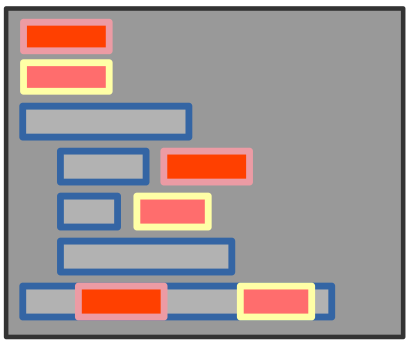
Python Code Sample with F-strings

Note

Curiously, both of the below print statements print out the same results, but the code is not the same …

firstName = "Robert"
lastName = "Paulson"
print(f"His name is: {firstName} {lastName}!") # f for auto formatting
print("His name is:",firstName, lastName,"!") # original structure

Output:

His name is: Robert Paulson!

His name is: Robert Paulson ! # A space appears?!

Operators

Operators let you do math, compare values, and more!

Important

Examples:

  • Arithmetic: +, -, *, /, ** (power)

  • Comparison: ==, !=, <, >

  • Assignment: =, +=, -=

Python Code Sample

x = 5
y = 2
sum = x + y
product = x * y
is_equal = (x == y)
x += 1

Note

Variables and operators are the backbone of calculators, games, and simulations!

Review Python Loops and Conditionals

Loops

Loops repeat actions. Use for and while loops.

Conditionals

Every now and then, your code will need to make decisions. Use if, elif, and else statements. Here is an example.

print("Welcome to the Secret Door Game!")
print("There are three doors: Red, Blue, and Green.")

# input() does not work with Quarto slides or Jupyter.
# Saved for later
# door = input("Which door do you choose? ").lower()

door = "red" ## Change this line to see what happens next!

if door == "red":
    print("🔥 You found a treasure chest!")
elif door == "blue":
    print("🌊 You discovered a hidden underwater tunnel!")
elif door == "green":
    print("🌲 You entered a magical forest!")
else:
    print("❌ That door doesn't exist!")

Try out this code! Now, make a change and see what happens!

Sort of Interesting Application

Loops and conditionals can be used to determine positive, negative numbers, or zeros. Neat-O!

Examples:

num = 10
if num > 0:
    print("Positive number")
elif num == 0:
    print("Zero")
else:
    print("Negative number")

Output: Positive

Try out this code! Now, make a change and see what happens!

A More Complicated Example of a Conditional

We find out if a number is positive, negative, or zero.

Examples:

x = 10
y = 20
if x > 5 and y > 15:
    print("Both conditions are true")
if x > 5 or y < 15:
    print("At least one condition is true")
if not x < 5:
    print("x is not less than 5")

Try out this code! Now, make a change and see what happens!

Example to check if a number is prime

Here we use conditionals to decide whether a number is prime or not


# input() does not work with Quarto slides or Jupyter.
# Saved for later
# number = int(input("Enter a number: ")) #Get user input. 

number = 11

if number < 2:
    print("❌ This is not a prime number.")
elif number == 2:
    print("⭐ 2 is a prime number!")
elif number % 2 == 0:
    print("❌ This is not a prime number because it is divisible by 2.")
else:
    print(f"Testing {number} for primality ... ")

    # Check if the number has any divisor
    for i in range(3, number, 2):
        if number % i == 0:
            print(f"❌ {number} is not a prime number.")
            break
    else:
        print(f"GOOD NEWS! {number} is a prime number!")

Try out this code! Now, make a change and see what happens!

Nested Conditionals

You can nest loops, one inside the other.

Examples:

num = 15
if num >= 0:
    if num == 0:
        print("Zero")
    else:
        print("Positive number")
else:
    print("Negative number")

Output: Positive

Try out this code! Now, make a change and see what happens!

Logical Operator

Logical operators use True and False to determine outcomes.

Examples:

a = 10
b = 20
if a > 5 and b > 15:
    print("Both conditions are true")
if a > 5 or b < 15:
    print("At least one condition is true")
if not a < 5:
    print("a is not less than 5")

Output:

  • Both conditions are true
  • At least one condition is true
  • a is not less than 5

Try out this code! Now, make a change and see what happens!

String Manipulation

We now look at how we can manipulate strings

Examples:

text = "Hello, World!"
print(text.lower())  # hello, world!
print(text.upper())  # HELLO, WORLD!
print(text.replace("World", "Python"))  # Hello, Python!
print(text.split(", "))  # ['Hello', 'World!']
print(text.strip("!"))  # Hello, World

Lists

Important

  • A list is a fundamental data structure in Python used to store an ordered collection of items.

  • Lists maintain the order of elements, with each item accessible by its index (starting from 0).

  • Lists are mutable, so their contents can be changed after creation (items can be added, removed, or modified).

  • Lists can hold items of different data types, including other lists.

  • Lists are created using square brackets, with elements separated by commas.
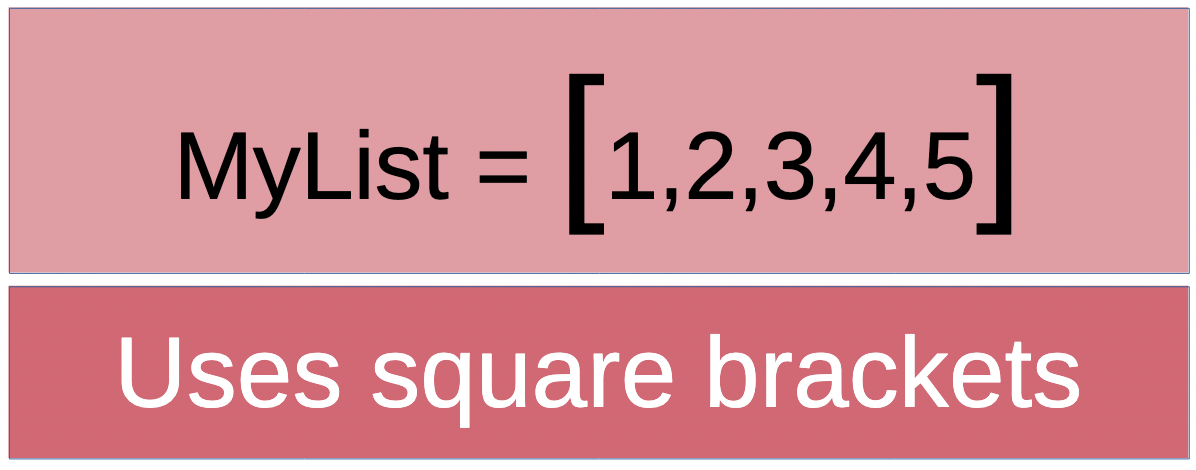
Demo of Lists

Examples:

my_list = [1, 2, 3, 4, 5] # definition
print(my_list[0])  # Access first element
my_list.append(6)  # Add an element to the end
print(my_list)  # [1, 2, 3, 4, 5, 6]
my_list.remove(3)  # Remove element with value 3
print(my_list)  # [1, 2, 4, 5, 6]
print(len(my_list))  # Length of the list

Output:

1

[1, 2, 3, 4, 5, 6]

[1, 2, 4, 5, 6]

5

Dictionaries

Important

A dictionary is a built-in data structure in Python used to store key-value pairs.

Dictionaries are unordered collections (as of Python 3.6+, they maintain insertion order), where each value is accessed using its unique key.

Dictionaries are mutable, so their contents can be changed after creation (items can be added, removed, or modified).

Keys in a dictionary must be unique and immutable (such as strings, numbers, or tuples), while values can be of any data type.

Dictionaries are created using curly braces {}, with key-value pairs separated by commas and a colon between each key and value.
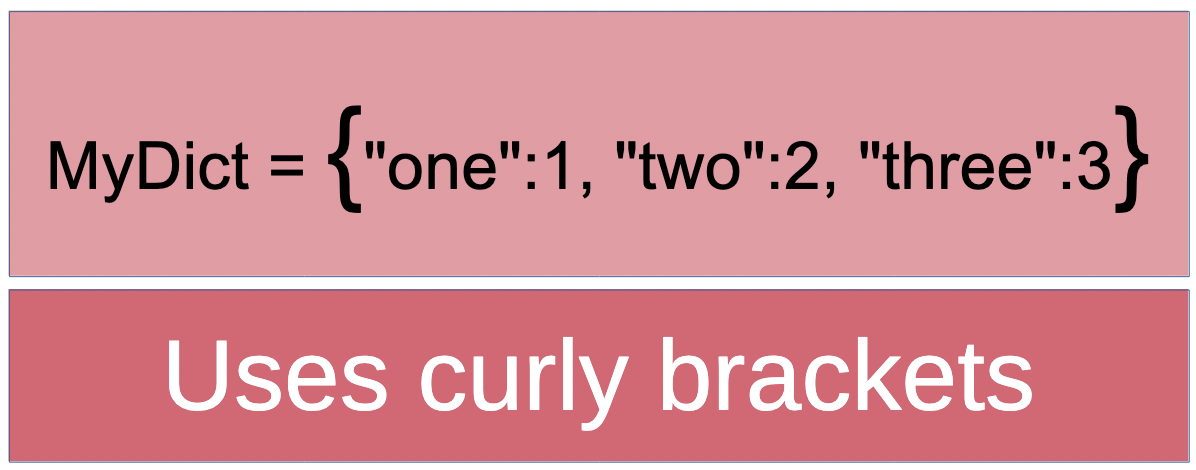
Demo of Dictionaries

Examples:

my_dict = {"name": "Alice", "age": 25, "is_student": True}  # definition
print(my_dict["name"])  # Access value by key
my_dict["age"] = 26  # Modify value
my_dict["city"] = "New York"  # Add new key-value pair
print(my_dict)  # {'name': 'Alice', 'age': 26, 'is_student': True, 'city': 'New York'}
del my_dict["is_student"]  # Remove a key-value pair
print(my_dict)  # {'name': 'Alice', 'age': 26, 'city': 'New York'}
print(len(my_dict))  # Number of key-value pairs

Output:

Alice

{‘name’: ‘Alice’, ‘age’: 26, ‘is_student’: True, ‘city’: ‘New York’}

{‘name’: ‘Alice’, ‘age’: 26, ‘city’: ‘New York’}

3

Interactive Challenges

Test your understanding before checking the solutions! Click an answer to see if you’re right.

Challenge Q1: The Mysterious Space 🕵️

Why does print("His name is:", firstName, lastName, "!") print an extra space before the exclamation mark, unlike the f-string version?

It's a bug in Python
print() inserts a space between every comma-separated argument by default
Strings always have trailing spaces
lastName has a hidden space in it

Challenge Q2: Score Booster 🎮

In a video game, score = 10. After running score += 5, what is the value of score?
10
5
15
Error: += is not valid Python

Challenge Q3: Countdown Blaster 🚀

What is the last value printed by this countdown loop? count = 3
while count > 0:
    print(count)
    count -= 1
0
1
3
The loop never ends

Challenge Q4: Movie Title Makeover 🎬

Given title = "star wars: a new hope", which method call converts it to "STAR WARS: A NEW HOPE"?
title.capitalize()
title.upper()
title.strip()
title.split()

Challenge Q5: Inventory Update 🎒

A game inventory is inventory = {"gold": 50, "gems": 3}. After inventory["gold"] += 20, what is inventory["gold"]?
20
50
70
Error: cannot use += on dictionary values

1. Variables and Operators

Challenge:
Create two variables, a and b, assign them integer values, and print their sum, difference, product, and quotient.

Tip

Method Suggestions:

  • Declare two variables and assign integer values to them
  • Use arithmetic operators: +, -, *, /
  • Use print() function with labels for clarity
  • Consider using f-strings for formatted output
  • Remember: division / gives a float result

2. Working with Lists

Challenge:
Create a list of five numbers. Print the largest number in the list.

Tip

Method Suggestions:

  • Create a list using square brackets []
  • Use the built-in max() function
  • Alternative: Sort the list and access the last element
  • Another option: Loop through and compare each element
  • Consider using print() with a descriptive message

3. Dictionaries

Challenge:
Create a dictionary with three key-value pairs representing a person’s name, age, and city. Print each key and its value.

Tip

Method Suggestions:

  • Use curly braces {} to create a dictionary
  • Use the .items() method to access key-value pairs
  • Loop through the dictionary with for key, value in dict.items()
  • Alternative: Access keys with .keys() and values with .values()
  • You can also print individual items by accessing keys directly

4. For Loops

Challenge:
Use a for loop to print all even numbers from 1 to 10.

Tip

Method Suggestions:

  • Use range(1, 11) to iterate from 1 to 10
  • Check if a number is even using the modulo operator %
  • Alternative: Use range() with a step parameter
  • Another option: Use list comprehension
  • Remember: i % 2 == 0 tests for even numbers

5. While Loops and Conditionals

Challenge:
Use a while loop to keep asking the user to enter a number until they enter a negative number.

Tip

Method Suggestions:

  • Use while True: for a continuous loop
  • Get user input with input() function
  • Convert input to integer using int()
  • Use break statement to exit the loop
  • Alternative: Use a condition in the while loop itself
  • Check if number is negative with < 0 comparison

Solutions

Solution 1: Variables and Operators (Part 1)

Challenge: Create two variables, assign them integer values, and print their sum, difference, product, and quotient.

Note

Approach 1: Basic Print Statements

a = 10
b = 5
print("Sum:", a + b)
print("Difference:", a - b)
print("Product:", a * b)
print("Quotient:", a / b)

Note

Approach 2: Using F-strings

a = 10
b = 5
print(f"Sum: {a + b}")
print(f"Difference: {a - b}")
print(f"Product: {a * b}")
print(f"Quotient: {a / b}")

Solution 1: Variables and Operators (Part 2)

Challenge: Create two variables, assign them integer values, and print their sum, difference, product, and quotient.

Note

Approach 3: Storing Results in Variables

a = 10
b = 5
sum_result = a + b
diff_result = a - b
prod_result = a * b
quot_result = a / b
print(f"Sum: {sum_result}, Difference: {diff_result}, Product: {prod_result}, Quotient: {quot_result}")

Solution 2: Working with Lists (Part 1)

Challenge: Create a list of five numbers and print the largest number.

Note

Approach 1: Using max() Function

numbers = [3, 7, 2, 9, 5]
print("Largest number:", max(numbers))

Note

Approach 2: Sorting the List

numbers = [3, 7, 2, 9, 5]
numbers.sort()
print("Largest number:", numbers[-1])  # Last element after sorting

Solution 2: Working with Lists (Part 2)

Challenge: Create a list of five numbers and print the largest number.

Note

Approach 3: Manual Comparison Loop

numbers = [3, 7, 2, 9, 5]
largest = numbers[0]
for num in numbers:
    if num > largest:
        largest = num
print("Largest number:", largest)

Note

Approach 4: Using sorted() Function

numbers = [3, 7, 2, 9, 5]
largest = sorted(numbers)[-1]
print("Largest number:", largest)

Solution 3: Dictionaries (Part 1)

Challenge: Create a dictionary with three key-value pairs and print each key and value.

Note

Approach 1: Using .items() Method

person = {"name": "Alice", "age": 25, "city": "New York"}
for key, value in person.items():
    print(key, ":", value)

Note

Approach 2: Using F-strings

person = {"name": "Alice", "age": 25, "city": "New York"}
for key, value in person.items():
    print(f"{key}: {value}")

Solution 3: Dictionaries (Part 2)

Challenge: Create a dictionary with three key-value pairs and print each key and value.

Note

Approach 3: Accessing Keys Directly

person = {"name": "Alice", "age": 25, "city": "New York"}
for key in person.keys():
    print(f"{key}: {person[key]}")

Note

Approach 4: Individual Print Statements

person = {"name": "Alice", "age": 25, "city": "New York"}
print("name:", person["name"])
print("age:", person["age"])
print("city:", person["city"])

Solution 4: For Loops (Part 1)

Challenge: Use a for loop to print all even numbers from 1 to 10.

Note

Approach 1: Using Modulo Operator

for i in range(1, 11):
    if i % 2 == 0:
        print(i)

Note

Approach 2: Using Range with Step

for i in range(2, 11, 2):  # Start at 2, step by 2
    print(i)

Solution 4: For Loops (Part 2)

Challenge: Use a for loop to print all even numbers from 1 to 10.

Note

Approach 3: Using List Comprehension

even_numbers = [i for i in range(1, 11) if i % 2 == 0]
for num in even_numbers:
    print(num)

Note

Approach 4: One-liner with List Comprehension

print(*[i for i in range(1, 11) if i % 2 == 0], sep='\n')

Solution 5: While Loops and Conditionals (Part 1)

Challenge: Use a while loop to keep asking for input until a negative number is entered.

Note

Approach 1: Using break Statement

while True:
    num = int(input("Enter a number: "))
    if num < 0:
        break

Note

Approach 2: Using Condition in While Loop

num = 0  # Initialize with a non-negative number
while num >= 0:
    num = int(input("Enter a number: "))

Solution 5: While Loops and Conditionals (Part 2)

Challenge: Use a while loop to keep asking for input until a negative number is entered.

Note

Approach 3: With Feedback Messages

while True:
    num = int(input("Enter a number (negative to quit): "))
    if num < 0:
        print("Negative number entered. Exiting...")
        break
    else:
        print(f"You entered: {num}")

Note

Approach 4: Using Flag Variable

continue_input = True
while continue_input:
    num = int(input("Enter a number: "))
    if num < 0:
        continue_input = False

You’ve Got This!!

Tip

You are now able to use …

  • Literals
  • Print statements
  • Loops driven by for and while
  • Lists and Dictionaries

Cool, Right?!